- Log in to your MW Learning+ Admin account.
- Select Classrooms from the left menu. This will display all the classrooms you've created.
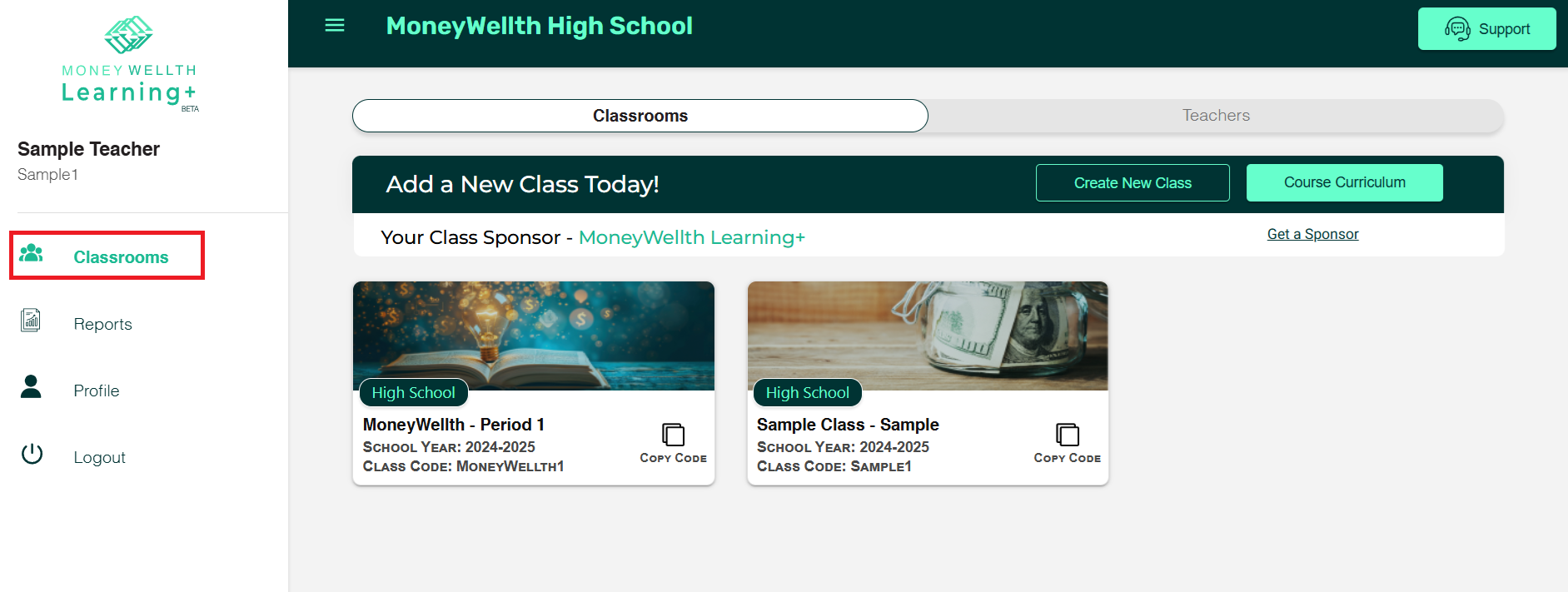
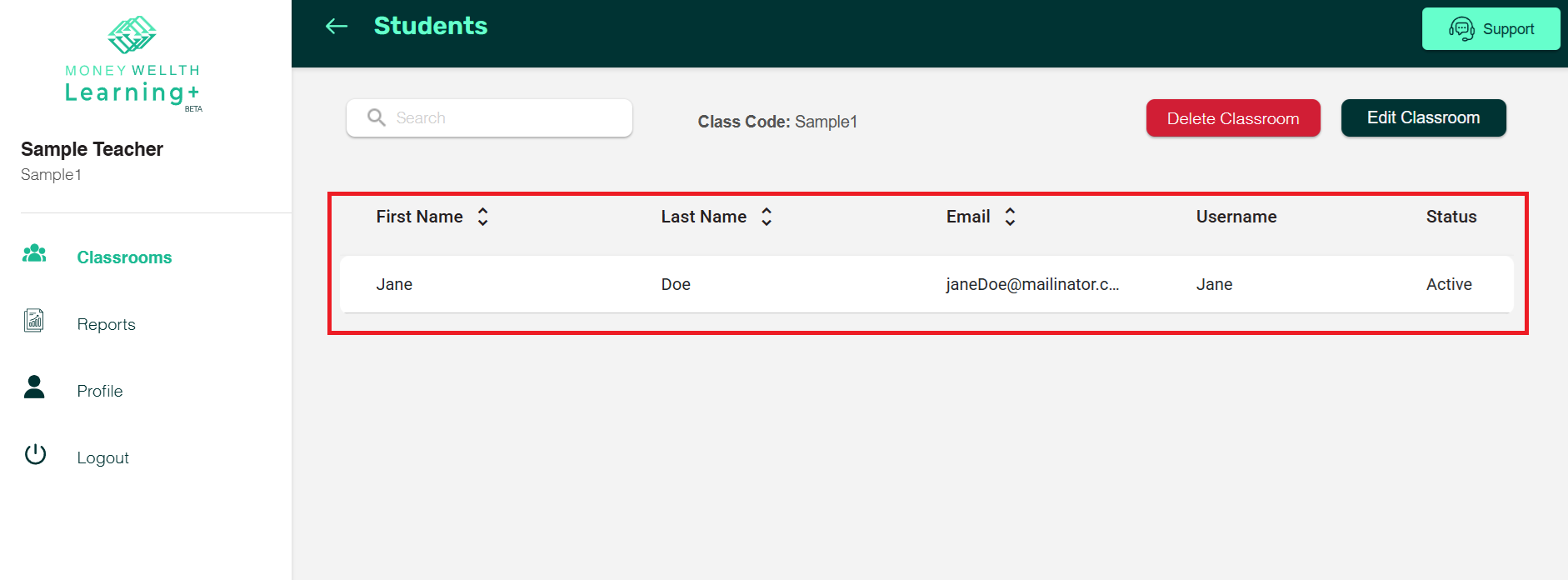
- By clicking any classroom you can see all the students enrolled.
Log in to the MW Learning+ Admin account.Log in to the MW Learning+ Admin account.Log in to the MW Learning+ Admin account.Log in to the MW Learning+ Admin account.Log in to the MW Learning+ Admin account.Log in to the MW Learning+ Admin account.Log in to the MW Learning+ Admin account.Log in to the MW Learning+ Admin account.Log in to the MW Learning+ Admin account.
